
Settings
Scroller settings tab.
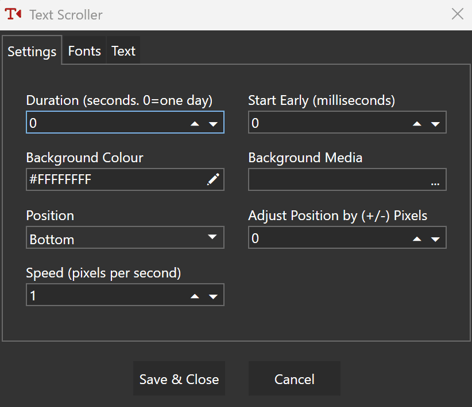
Duration
-
Number of seconds to play for. Used when row = auto. If 0 then duration = 1 day.
Start Early
-
Scxrolling text will be created this number of milliseconds before shown.
Background Colour
-
Colour of the output behind the text.
Background Media
-
Image or video to show in the output behind the text.
Position
-
All text, which can be of different height, is aligned on a "baseline" position.
This base line can be set to:
- Top
The baseline is positioned as close to the top of the output as possible while allowing all text to be visible.
The position can be pixel-adjusted using the adjacent Adjust Position By setting. - Middle
The baseline is positioned in the middle of the output. This is approximate when scroller has different sized texts.
The position can be pixel-adjusted using the adjacent Adjust Position By setting. - Bottom
The baseline is positioned as close to the bottom of the output as possible while allowing all text to be visible.
The position can be pixel-adjusted using the adjacent Adjust Position By setting. - Pixel
The baseline is an actual pixel position.
The pixel calue is entered in the adjacent Baseline Pixel Position setting.
Speed
-
The scroll speed in Pixels-per-second.
-
E.g. for a letter to move across an HD screen in 5 seconds: 1920 \ 5 = 384pps
Fonts
A list of fonts that can be applied to the scrolling text.
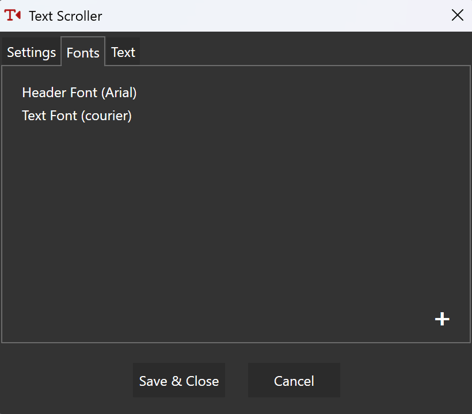
Double click a font or press ➕ or ✏️ to see the following window,
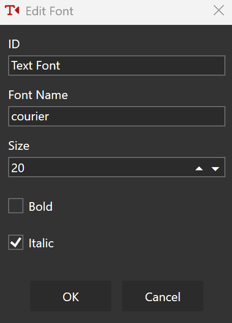
ID
-
A unique id. This will be selected when applying this font to text (see below)
Font Name
-
Text using this front will use this installed font e.g. Arial or Calibri.
Size
-
Text using this front will be this size.
Bold
-
Text using this front will be bold.
Italic
-
Text using this front will be italic.
Text
A list of texts that make up your scolling text. Each one can be a different colour and font. They will all be aligned on the scroller's baseline (see Position setting above).
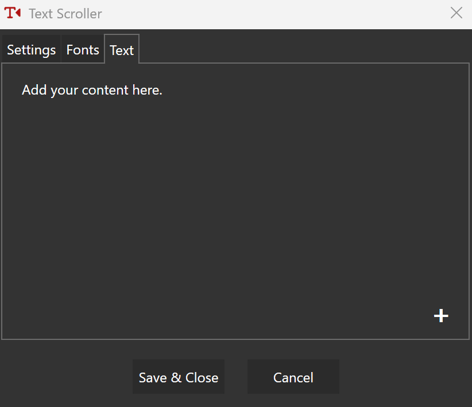
Double click a text or press ➕ or ✏️ to see the following window,
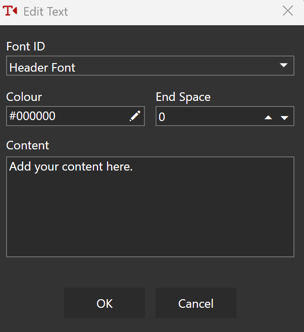
Font ID
-
The text will use the font settings with this ID (see above).
Colour
-
The text will be displayed in this colour.
End Space
-
Number of pixels between this and the next piece of text in the scroller.
Content
-
The text to show in the scroller.