
On the screen shown below, click on the Watchdog icon. This will bring up the Watchdog screen shown below.
Select ‘Mandatory Programs’ and deselect the ‘Auto Close Mandatory Apps’ option.
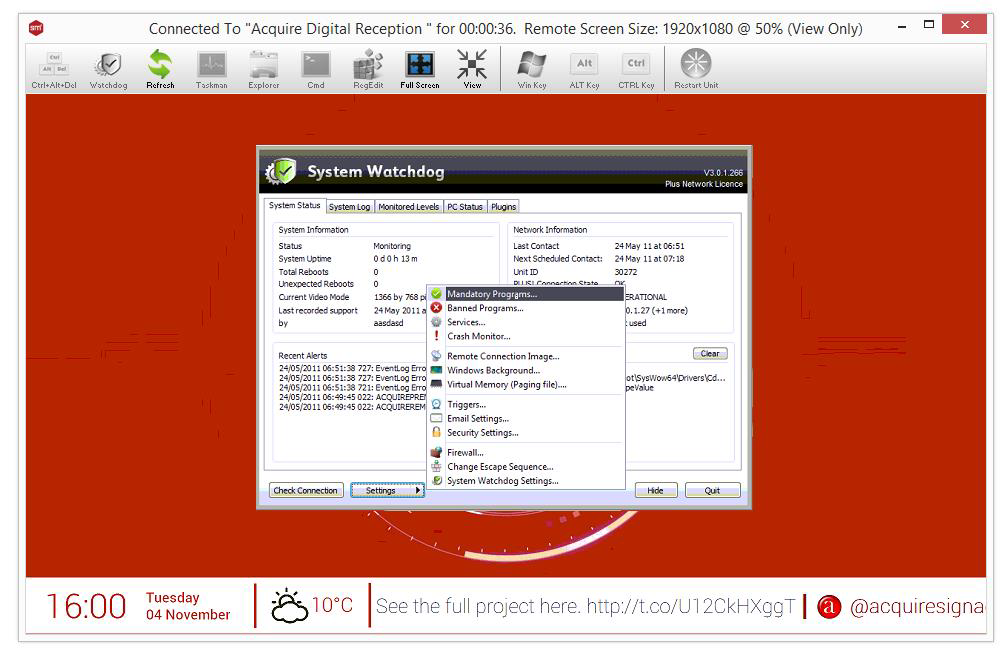
Then click on ‘OK’ and then click on ‘Hide’.
You will be asked to type in your name and the reason you have accessed the unit. This information will be stored in the log files.