
Once you have installed the Site Manager program you will have to licence the product.
In the Site Manager folder in your Windows ‘All Programs’ folder, you will see the ‘Install Site Manager License Program’.
If you double click this program you will see the licensing method box shown below.
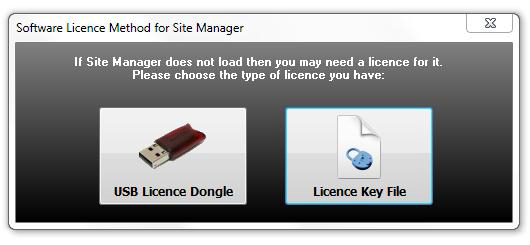
Select the activation method that applies to you. It will probably be the Licence Key File. You should have received this, either as a download link or by email, when you purchased Site Manager. If you did not, then please contact your reseller, or if you purchased from us directly contact Acquire at
After you load the licence key you will be presented with the window shown below:
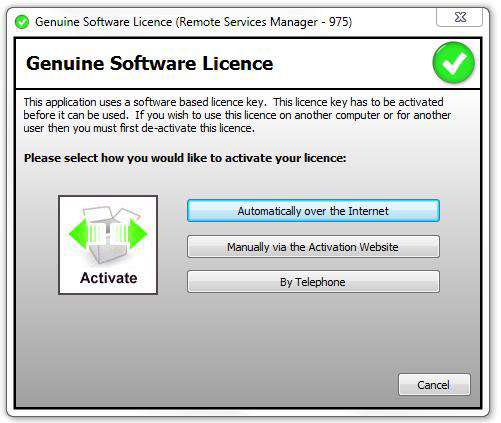
Choose how you want to activate your copy of Site Manager. This will usually be ‘Automatically over the Internet’. You should then see the window shown below:
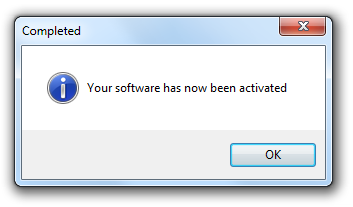
Congratulations! Your copy of Site Manager is ready to use.