
From here you can also setup user accounts and assign users to specific sites or vice versa. In order to add units to sites use the command in the central column or right click on the unit and select ‘add to site’. A single unit can only be added to one site.
Finally, you can setup your Exceptions and Resolutions. From here you can control the way in which the System Watchdog, installed on your units, monitors, and reports on, software and hardware activity.
Error Reporting System
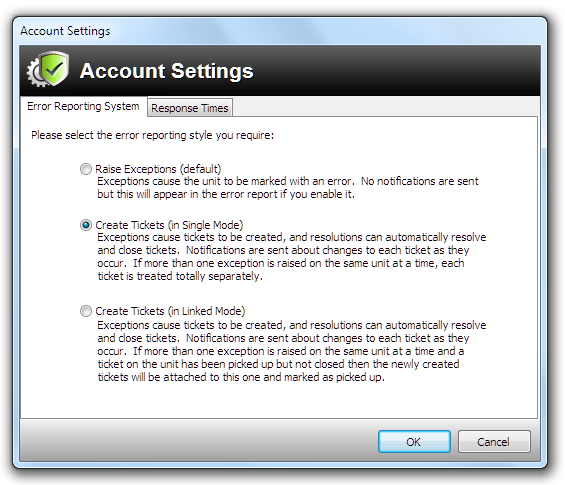
Clicking on the Managing Account Settings option will bring up the window shown below. From here you can select whether or not to use the optional support ticketing system. The default setting will not cause a ticket to be raised. It will just cause the unit to be marked with an error.
The Response Times tab helps you manage the support tickets against the times you may be contracted to adhere to in a client’s SLA (Service Level Agreement).
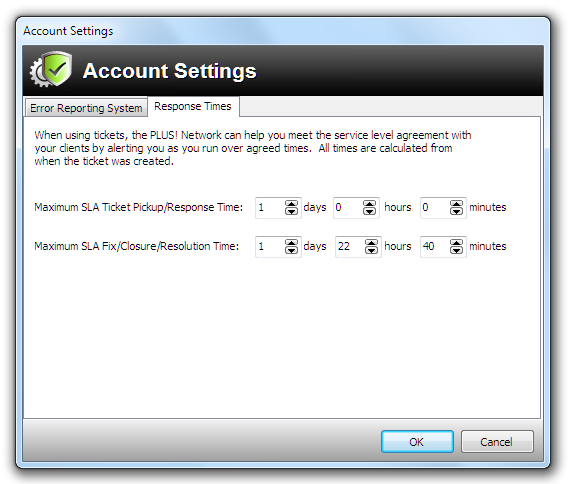
As you can see from the screen-shot above, you can setup Site Manager to alert you if you do not pick up a ticket in a specific time – shown here as 1 day. And, also to alert you if you do not mark the ticket as closed.