
General Settings
The general settings page is where you can set up the basic options and settings for your
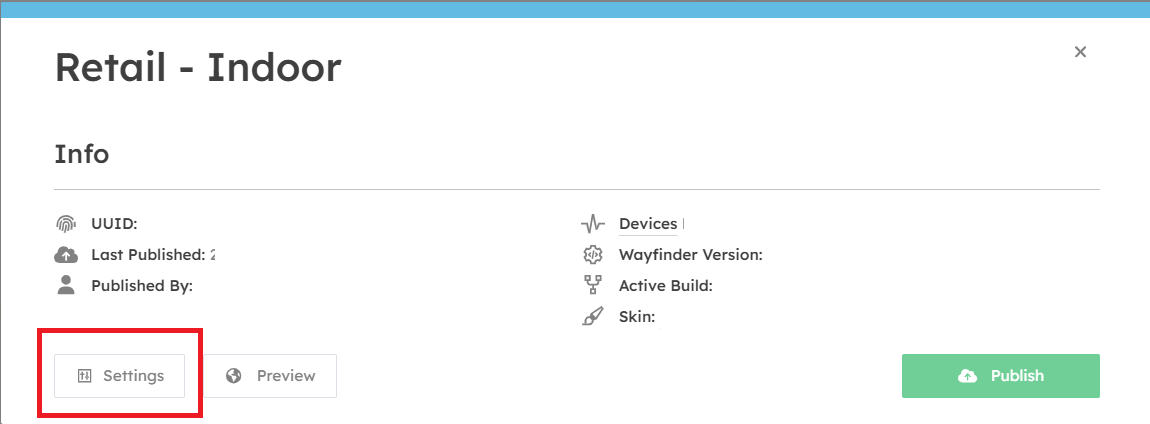
To access the project settings, select the project you want click the three dots  on the Info window - select - Settings.
Logo
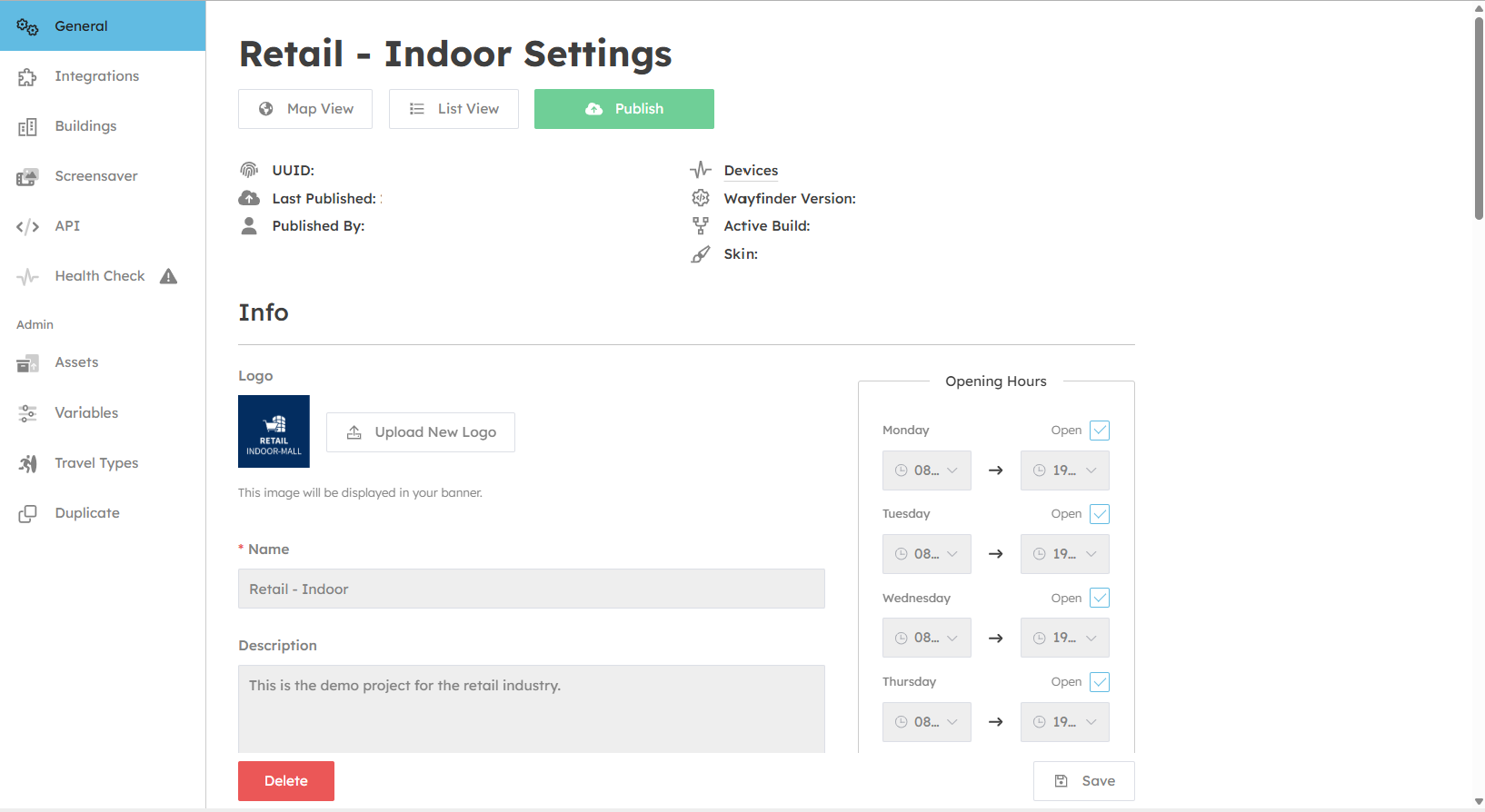
- You can upload a project logo, which will display on your devices, mobile handoff pages.
Name
- The name of your project.
Description
- A notes field which will only display in the CMS for your reference.
Opening Hours
- Set the opening hours of your project location.
Note: Individual opening hours can be set for each destination contained in your project, inside their respective settings. By default, they will use the setting from the general settings page.
Address
- The street address location of your project map.
Time zone
- The time zone of your project location. This is used to calculate opening hours and other time-based options.
Measurements
- Set your preferred measurement system here. This setting affects how content like weather and routing distances are shown to end users.
Colours
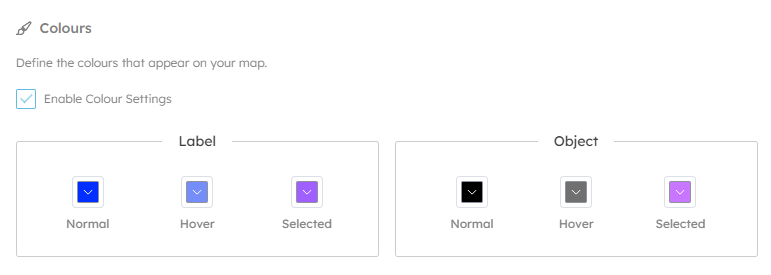
- Here you can set the default colour styles for the 3D maps. Objects are the 3D meshes representing spaces and destinations on your map, and labels are the destination names that appear above them.
Related Destinations
When users view a destination the system can recommend alternatives alongside. This option allows you set whether these recommendations are automatic, or manually assigned.
Note: If manually assigned then no alternatives will be displayed until you chose options for each destination.
Version Control
This section allows you to configure which software version should be used by devices in your project.
Version
- The Wayfinder software version used by windows devices. This is best left alone.
Build
-
This is the map build version, that increments each time you press "publish". If you accidentally publish map changes early, or wish roll back, you can do it here.
Skin
- This allows changes to the skin version of the windows device UI. This is best left alone.
Geometry
This section allows you to define the GPS location of your maps, and XY bounds. This is used to calculate the automatic zooming and location based services on mobile devices.