
Preferences control how Beacon appears for the current operator. They are stored for future visits in the same browser and do not change player output or another user's settings.
Open Preferences
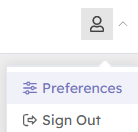
- Select your profile image in the header.
- Select Preferences.
Dark Mode
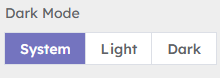
Choose one of:
- System — follows the operating system's light or dark appearance.
- Light — always uses Beacon's light appearance.
- Dark — always uses Beacon's dark appearance.
Choose the shape used when previewing Emergency Messages and Presets:
Message Preview Layout
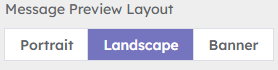
Choose the shape used when previewing Emergency Messages and Presets:
- Portrait
- Landscape
- Banner
This changes the editor preview only. It does not alter a saved message, a Device's screen dimensions or player output.
There is no Save button. Beacon applies and stores each selection when you make it.