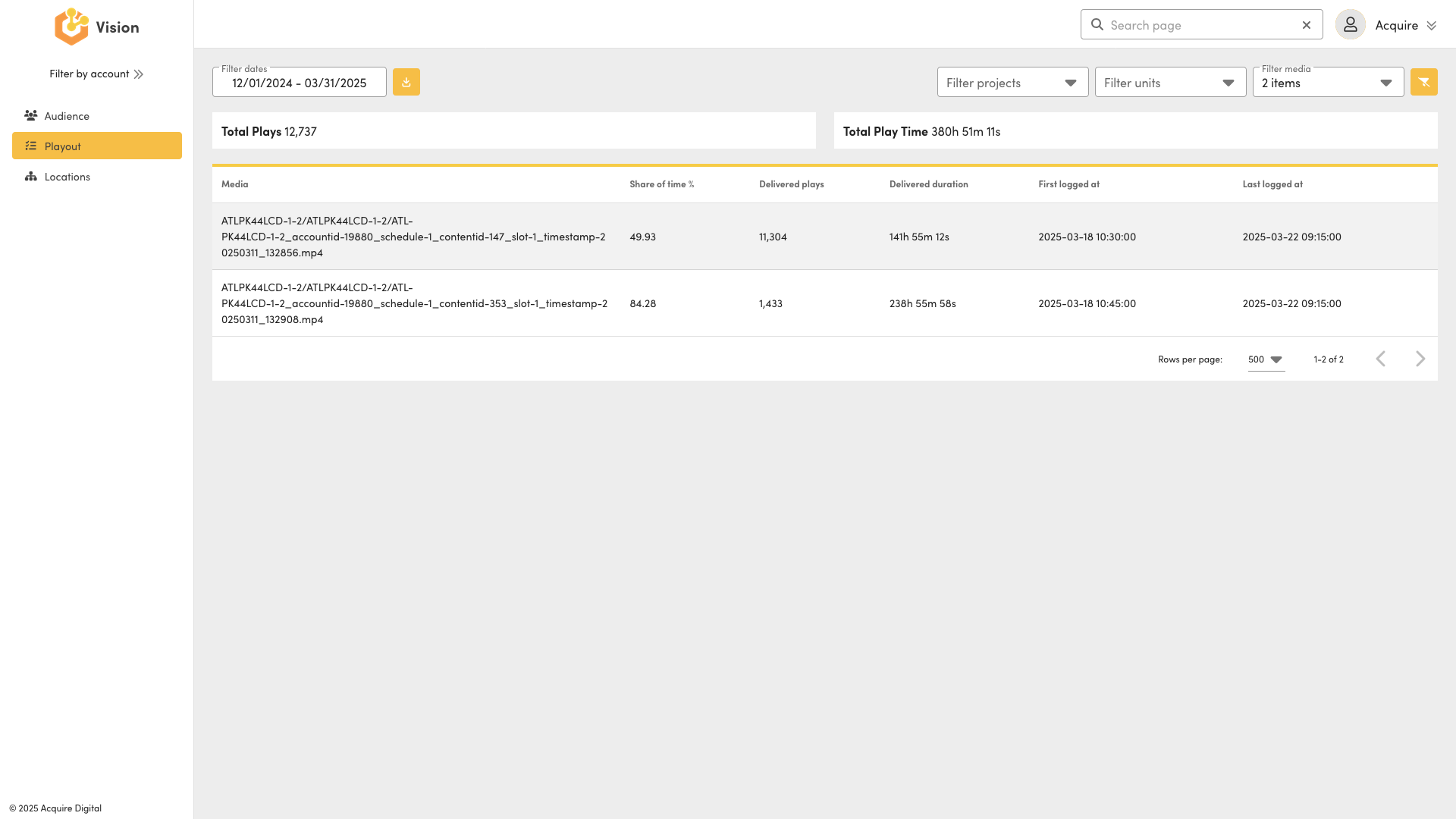
Playout Interface
Annotated Acquire Vision Playout interface.

- Time-period: where you select the time period you want to analyse.
- Advanced Filters/Options: addition filters and options to further customise the report.
- Reset: where you reset the time period and advanced filters/options.
- Export: where the reports/data can be exported (Microsoft Excel).
- Main view: where the reports/data is presented.
Playout
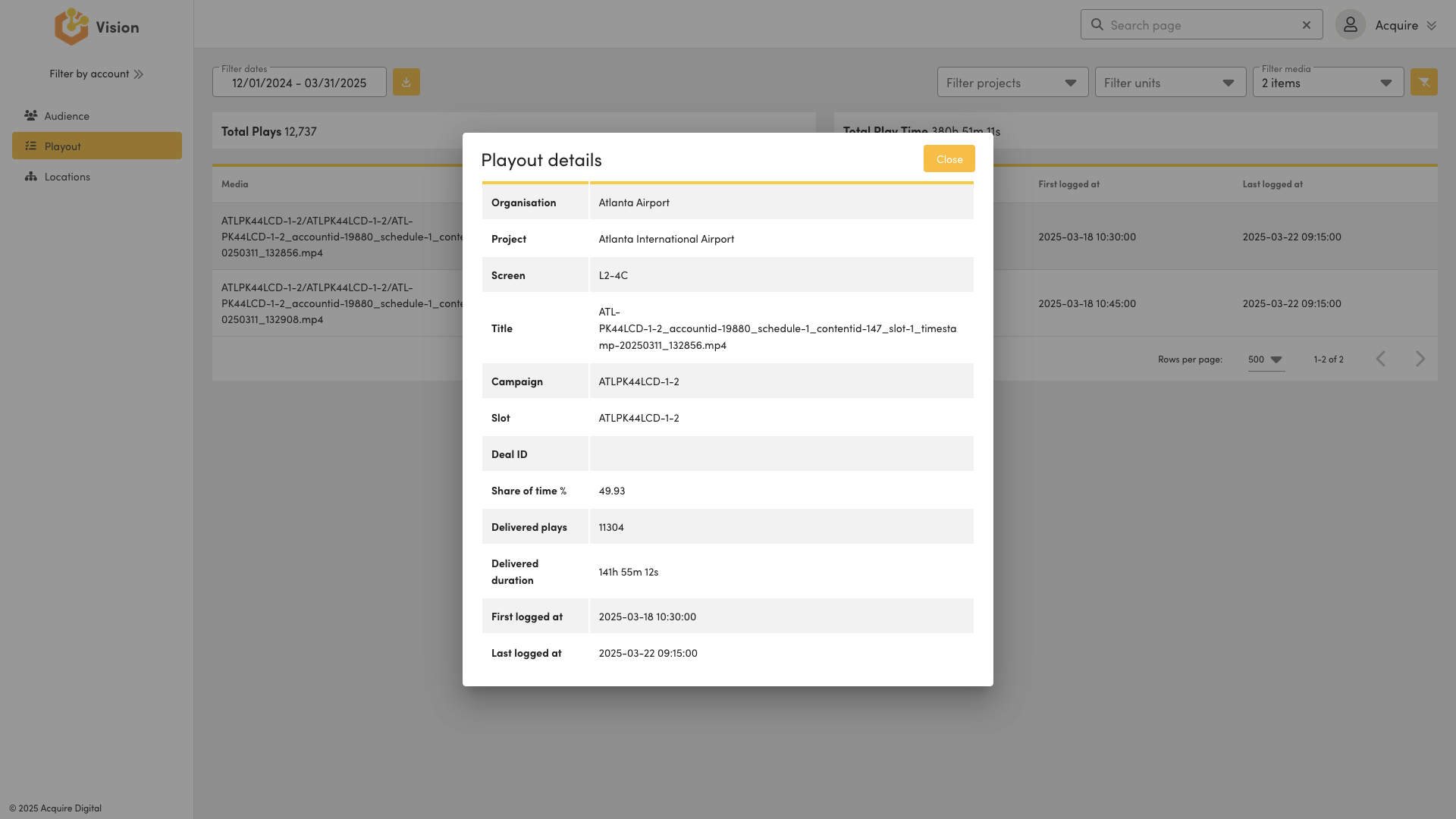
Playout: A record of where, when and what creative has served, as defined by the "Playout" data standard.
|
Term |
Definition |
|
Start Date |
The start date of the report record. |
|
Start Time |
The start time of the report record. |
|
End Date |
The end date of the report record. |
|
End Time |
The end date of the report record. |
|
First Logged Date |
The date the creative was first logged within the report's/record's date/time period. |
|
First Logged Time |
The time the creative was first logged within the report's/record's date/time period. |
|
Last Logged Date |
The date the creative was last logged within the report's/record's date/time period. |
|
Last Logged Time |
The time the creative was last logged within the report's/record's date/time period. |
|
Share of Time |
The percentage (%) of total time a creative is served across the report's/record's date/time period. |
|
Delivered Plays |
The number of times a creative is fully played across the report's/record's date/time period. |
|
Delivered Duration |
The total time a creative is played, in seconds, across the report's/record's date/time period. |