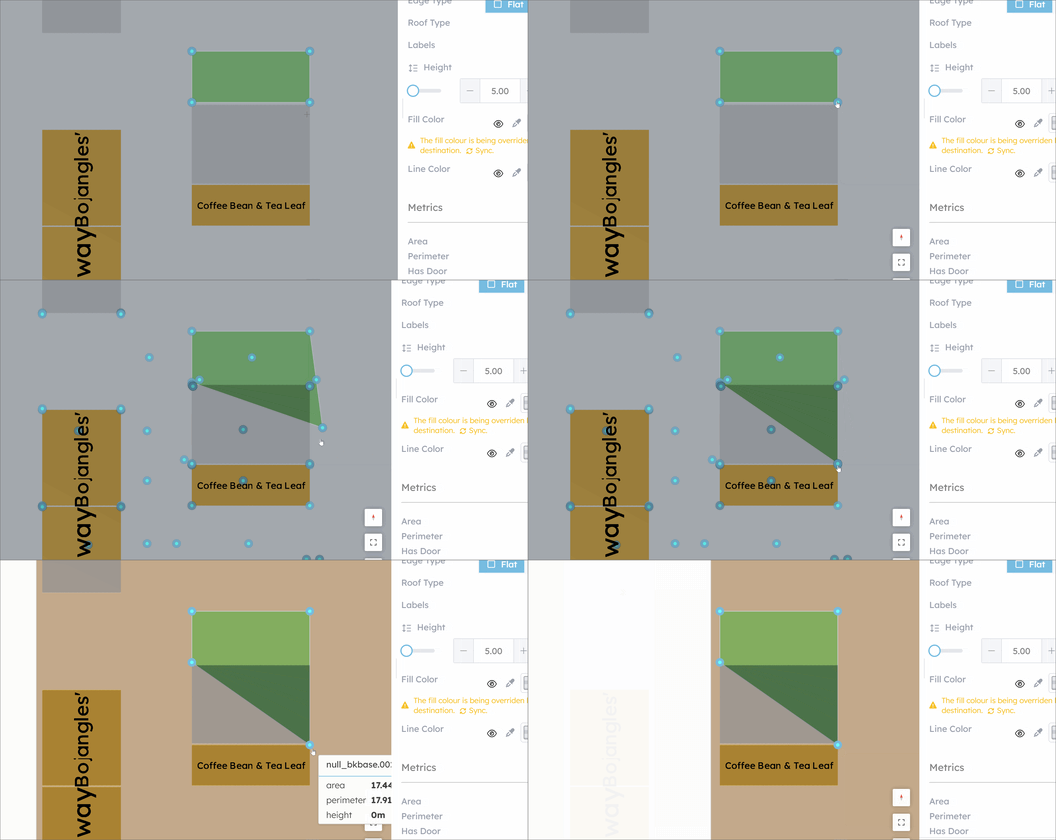
New vertices can be added by clicking the midpoint handles along edges. Vertex dragging snaps to nearby vertices and edges from other features.
Interaction Flow
- Select a feature in Geometry mode
- Right-click and choose Modify from the edit actions
- Vertex handles appear on every corner of the selected polygon
- Midpoint handles appear on every edge
- Drag a vertex handle to move that vertex — it snaps to nearby geometry
- Click a midpoint handle to insert a new vertex at that position
- Press
Escapeor switch tools to exit Modify mode
Snap Behaviour
- When dragging a vertex, the cursor snaps to the closest vertex or edge from other features
- Snap distance is controlled by the editable-layers snap configuration
- This ensures vertices from adjacent polygons stay aligned without manual precision
Example: