
Question:
Can Acquire Editor produce Logs for investigation, similar to Acquire Player Logs?
Resolution:
Yes. Acquire Editor can provide a number of useful Logs, e.g. AcquireEditorPremier (the main Application), scripteditorplus - which is the Playlist Editor element.
To Enable this or Disable, go to Acquire Settings and double-click in blank space in-between the buttons are the bottom. In the example, between Users... and Restart Database, as shown:
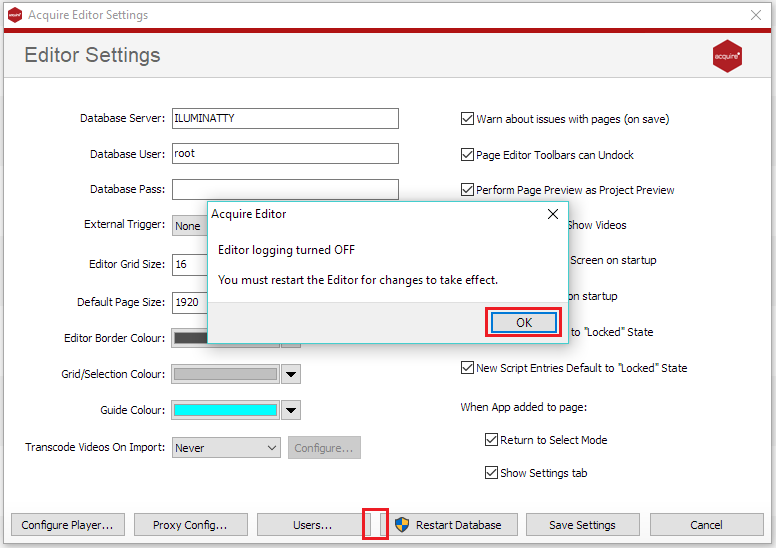
If done correctly this will either Enable or Disable the Application Logging, these are typically saved in C:\ProgramData\Acquire\logs.
Please note: Acquire Editor Logs are not enabled by Default, and you will not be able to obtain information retrospectively.