
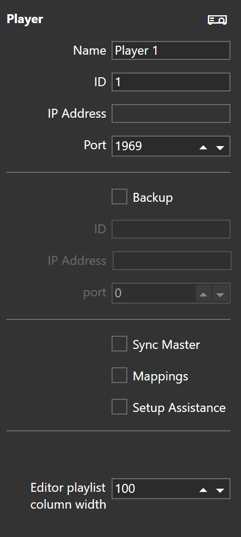
- Enter the player's main PC name, ID and network settings
The Port is default to 1969, this can be changed to your settings. See: Mappings - Set whether this player is the Sync Master
- Set whether this player has mappings. See: Mappings
- You can enable Setup Assistance to show information on-screen when the playlist is being played out.
- Enter the width of the column in the Acquire Advance Editor playlist for this player.