
How to Use
- Select a feature in Geometry mode
- Choose Duplicate from the edit actions toolbar
- The copy appears near the original with the same geometry and properties
- Drag the duplicate to reposition it
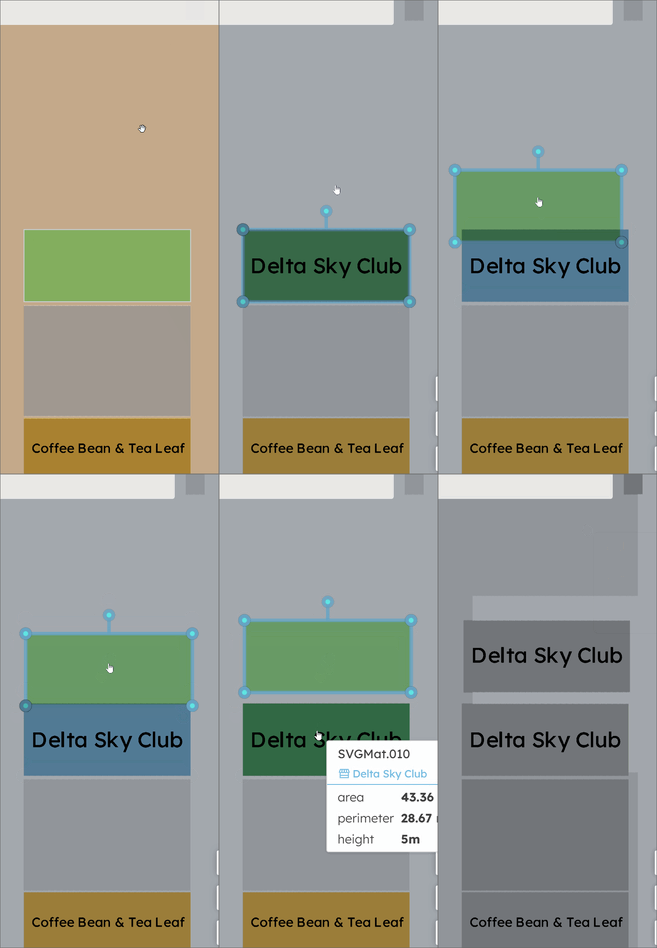
The new feature inherits all properties from the original. The id is regenerated.