
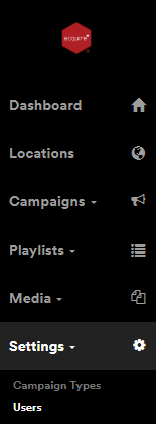
Login to the DooHad CMS, go to settings and select Users.
Top right is a Create User button  this will then open the following window.
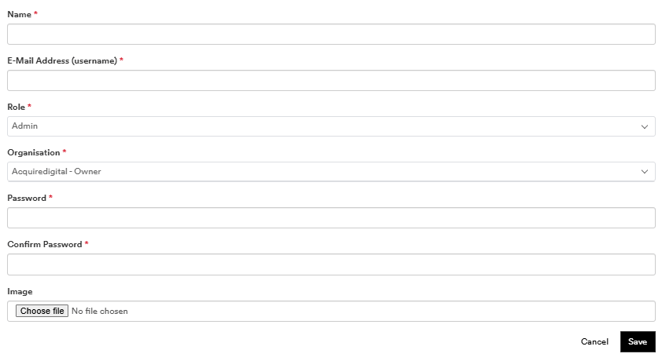
Fill in the relevant details.
-
Name
-
E-Mail Address (username)
-
Role
these are explained further in this document. - Organisation
you will be prompted to for the format to use - Password
- Confirm Password
- You can also add a Company Logo or Image
Select Save
Role's Explained.
Administrator
Designed for managing users and supporting campaigns. Full access of the system (including creation of users, approval of uploaded content by 3rd party or client).
Manager
Designed for users who need to create and assign campaigns. Full access of the system (excluding settings - although they can administer clients). They can approve content by 3rd party or clients.
Client
Designed for agencies who purchase campaigns. Access only to manage slots within campaigns assigned to them (and their media).
3rd Party
Designed for users who are (like managers) able to purchase and assign campaigns, but are external to your organisation so have limited abilities. Ability to create/edit campaigns and slots within campaigns, assign campaigns to players, manage their own media. Unable to delete campaigns or view playlists. Able to view availability (numbers only, not colour status).
Also See: Getting Started