
Use the project switcher in the header before creating or changing content. When no project is selected, supported list pages show records from every accessible project and add a Project column. 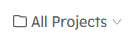
Content workflow
A typical information-display workflow is:
- Create a Layout that defines the visual design.
- Create an Information Display that uses the Layout and supplies its content.
- Add one or more Information Displays to a Playlist.
- Assign the Playlist or individual Information Displays to Devices.
- For ATL, optionally create Automations that change Playlist assignments when a checkpoint phase changes.
Emergency Messages and Emergency Message Presets form a separate workflow for urgent or temporary content.
Using the CMS
- Signing In and Out — accessing Beacon through Acquire Accounts and ending a session.
- Home and Navigation — the Home cards, side navigation, project switcher and profile menu.
- Preferences — colour mode and Emergency Message preview shape.
- Project Settings — the selected project's fallback image.
- Activity Logs — read-only history of operator and system changes.
- Admin Tasks — administrator-only maintenance and manual processing actions.
Content subjects
- Emergency Messages — time-limited or operator-controlled messages delivered to selected Device groups.
- Emergency Message Presets — reusable starting points that can lock selected message fields.
- Layouts — reusable visual templates for Information Displays.
- Information Displays — configured content instances based on Layouts.
- Playlists — ordered sequences of Information Displays.
- Devices — the player computers, their attached screens and their content assignments.
- Phase Change — ATL-only manual and automatic control of checkpoint phases.
- Automations — ATL-only condition-and-action rules that assign Playlists when checkpoint phases change.
Each subject page explains its terminology and list view. Create and Edit sub-pages document the corresponding forms and what Beacon does after a successful save.