
You need to log into the CMS - and going on to the edit map selecting the amenity you want information on i.e Restroom, select the 3 dots - settings.
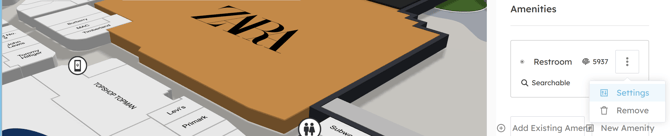
This will open the new window where you can add, adjust the information.
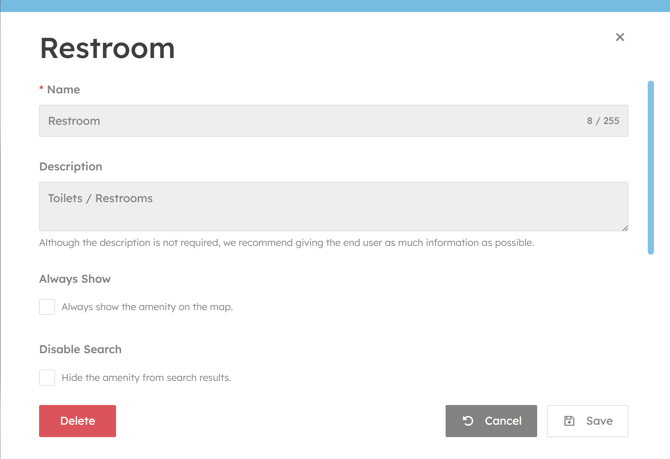
once done select Save.
This will open the new window where you can add, adjust the information.
once done select Save.