Skip to content
English
  • There are no suggestions because the search field is empty.

9.0 is not a Valid Floating Point Value Error Message

I have installed Acquire Editor V4.0, which works fine but when trying to launch Site Manager then logging in to an account I experience an access violation error and the following error: '9.0' is not a valid floating point value. How can this be resolved?

Resolution:

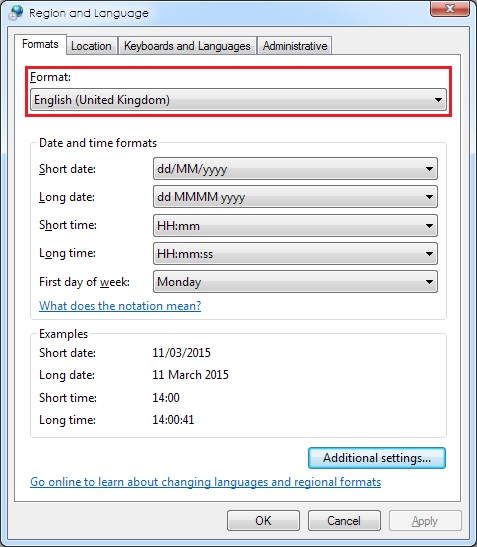
This error typically occurs when your Regional Settings, are set to something other than English (United Kingdom).  We recommend you change the Format to English (United Kingdom).

To do this:

1. Click Start and open Control Panel, and select Region and Language.

2. Under the Formats tab change the Format to English (United Kingdom) and click OK.